Two calls. Same morning. Same scam. Different amounts, different phone models, same callback number.
I got two voicemails today claiming I'd just authorized an iPhone purchase I definitely didn't make. Call one said $999 for an iPhone 16 Pro. Call two said $1,099 for an iPhone 17 Pro. Same scam, couldn't even keep the story straight.
Nothing too surprising. But here's what stopped me:
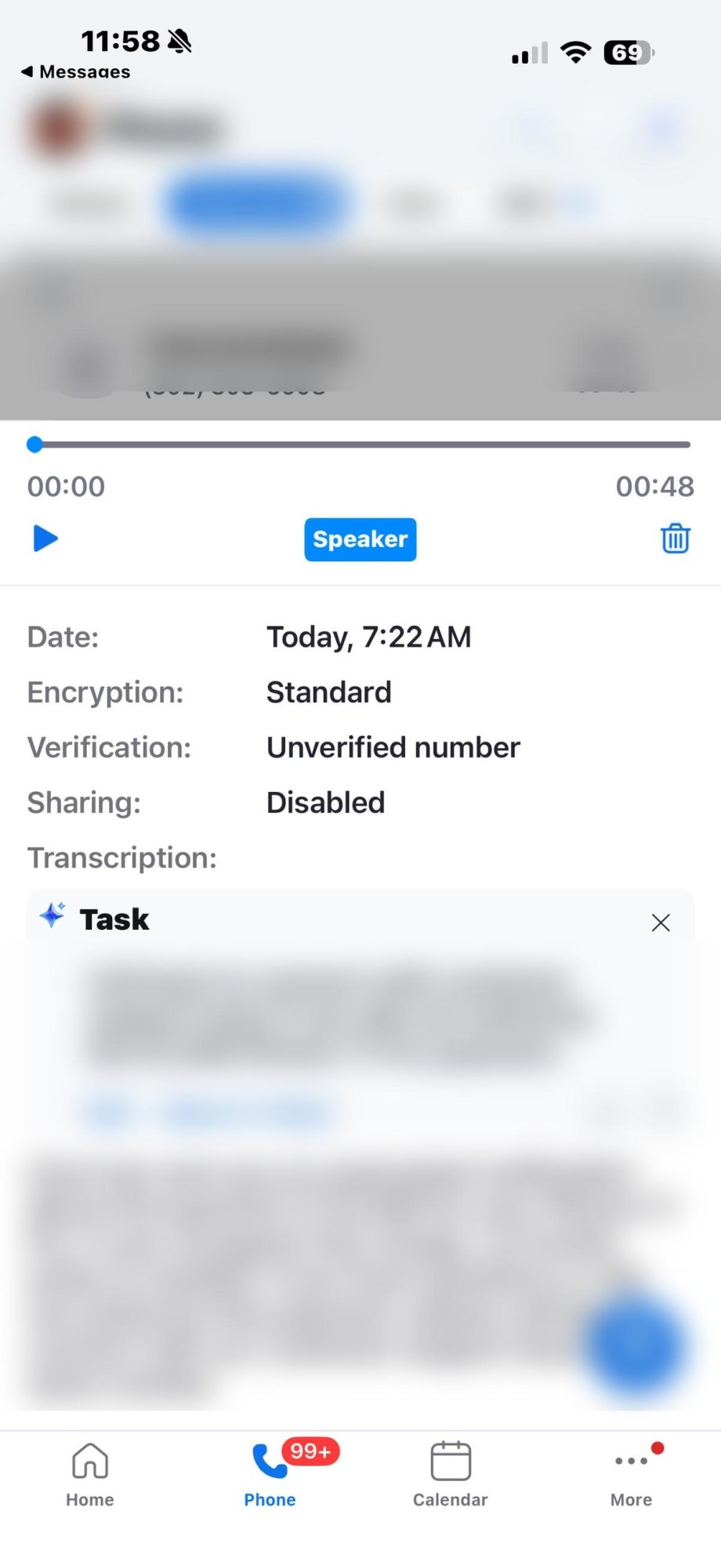
My AI assistant turned both of them into Tasks.
Not "possible spam." Not "review when you get a chance." Formatted Tasks. "Call back to connect with customer support team if you did not authorize the $1,099 iPhone 17 Pro payment."
Helpful. Real helpful.
What's Actually Happening
This is a classic vishing attack -- voice phishing. Fake purchase alert. Urgency. Callback number. Impersonation of a trusted brand (Amazon, Apple -- take your pick).
The new wrinkle: third-party AI tools -- in this case, Zoom AI -- are analyzing voicemails and generating summaries, task suggestions, and recommended actions. So instead of your brain flagging it as a scam call, your phone presents it as an open item on your to-do list.
That's the con working at a whole new level.
To be clear -- this is not Apple doing this. Apple Intelligence transcribes voicemails. It doesn't generate Tasks or tell you to authorize payments. That behavior is coming from third-party AI integrations. Apple's more neutral approach is actually the safer one here.
The Red Flags Were Everywhere
- Call 1: $1,099 -- iPhone 17 Pro
- Call 2: $999 -- iPhone 16 Pro
- Same callback number on both
- "Unverified number" stamped right on the screen
- No corresponding email, no charge in my account, nothing
Two calls. Two amounts. Two models. One scam. The AI didn't catch any of it -- it just made it look like a to-do.
What You Should Do
- Do not call back
- Check your Amazon or Apple account directly through the app or website -- not through anything in the voicemail
- Block and report the number
- If it hit a work phone, let someone know
If there's a real charge, it will be in your account. Not hiding in a voicemail from a number that can't even keep the phone model straight.
The Bigger Problem
AI amplified this scam without knowing it. That's going to keep happening -- voicemails, emails, texts. When your device wraps malicious content in a clean interface and calls it a Task, you've lost a layer of natural skepticism that used to protect you.
For businesses -- and this applies in healthcare environments too -- one callback from the wrong voicemail can turn into a HIPAA incident. Personal phones bleed into business systems faster than most people think.
If You're in the Coachella Valley
Whether you're in Palm Desert, Palm Springs, or anywhere across the Inland Empire -- these scams don't care where you live. They hit personal phones first and work their way in from there.
If you're not sure whether a call or voicemail was legitimate, bring it in or send me a screenshot. That's what I'm here for.
Stay skeptical. Stay secure.
-- Scott Pam @ PC-ASSIST
References
1 Federal Trade Commission -- Phone Scams and Robocalls: https://consumer.ftc.gov/articles/phone-scams
2 Federal Communications Commission -- Caller ID Spoofing: https://www.fcc.gov/spoofing
3 FBI IC3 -- Vishing (Voice Phishing) Scams: https://www.ic3.gov
4 HHS.gov -- HIPAA Security Rule: https://www.hhs.gov/hipaa/for-professionals/security/index.html
5 NIST -- Social Engineering Guidance: https://www.nist.gov