Investigating Cheap Microsoft Office Licenses: What I Discovered After Buying One Myself
Cheap or discount Microsoft Office licenses appear everywhere online. Many websites advertise Office 365 or Office 2021 for prices far below Microsoft’s official rates, often using terms like “lifetime license,” “5 devices,” or “Professional Plus.” Clients frequently ask whether these deals are legitimate, safe, or truly legal.
To provide a definitive answer, I decided to purchase one of these licenses myself and investigate what was actually being sold. The results confirmed many long-standing concerns within the IT industry: most of these licenses are not genuine, violate Microsoft’s licensing terms, and present real security and privacy risks.
What Is Really Being Sold in These Cheap Office Deals?
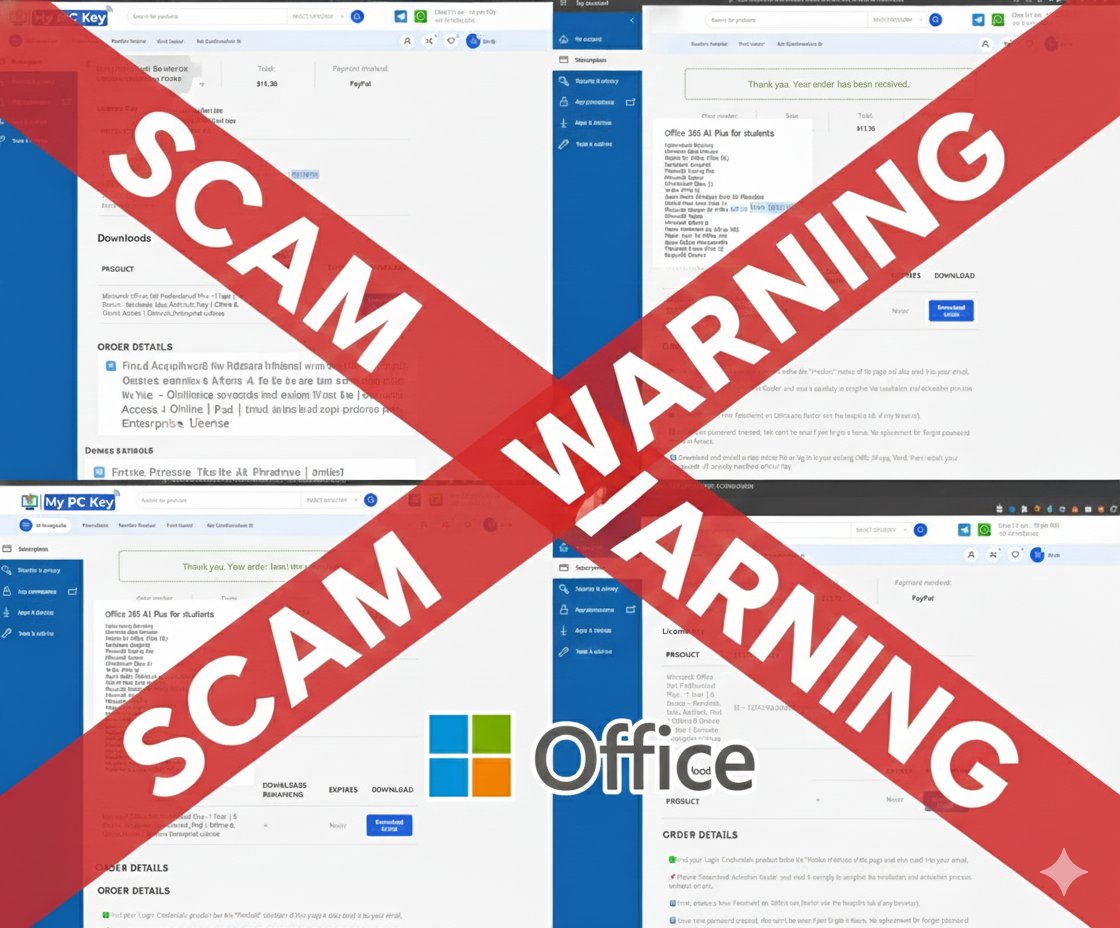
The offer I tested advertised “Office 365 Professional Plus for 5 devices” at a price far below retail. Instead of receiving a product key or a legitimate activation method, I was given a username and temporary password for an unfamiliar Microsoft 365 account under a domain I did not recognize. I was instructed to log in and change the password.
This is the first and most critical red flag. Microsoft does not distribute consumer or business licenses by giving out shared login accounts.
The License Turned Out to Be an Education (EDU) A1 Plus Account
When I reviewed the account details, I discovered that the subscription was not “Office 365 Professional Plus” as advertised. Instead, it was an “Office 365 A1 Plus for Students” license. This type of license is:
- provided free of charge to schools and educational institutions,
- restricted for use only by eligible students and staff,
- not permitted for resale, transfer, or commercial use,
- controlled entirely by the Microsoft 365 tenant administrator (in this case, the reseller).
This means the reseller controls the account, the data, and your access to the software.
How These Fake Office License Scams Work
The process typically follows this pattern:
- A reseller sets up or compromises a Microsoft 365 Education tenant.
- They create a large number of student accounts under that tenant.
- Each account receives a free A1 Plus education license.
- These accounts are sold as “cheap Microsoft Office” or “Office 365 Professional Plus” deals.
Customers believe they are purchasing a legitimate license, but they are actually receiving temporary access to a tenant-controlled EDU account that can be revoked at any time.
Why These Licenses Are Unsafe and Unreliable
- The account is not yours: You do not own the license, and you have no control over the account.
- Access can end without warning: If Microsoft audits the tenant or the reseller removes accounts, your access disappears instantly.
- Privacy risks: The reseller, as the Microsoft 365 administrator, can reset passwords or view data stored in OneDrive or Exchange.
- No customer support: Microsoft will not support unauthorized or non-transferable licenses.
Are There Any Legitimate Low-Cost Office Options?
While many extremely cheap Office deals online are fraudulent, there are legitimate sources offering real, properly licensed software at discounted prices. For example, StackSocial frequently sells authentic older versions of Microsoft Office, including Office 2021 for Mac. These deals are legitimate because StackSocial partners with authorized software distributors and delivers valid product keys, not shared accounts.
The New York Post Store is also a reputable publisher marketplace that sells legitimate Microsoft Office deals. Like StackSocial, they work with verified distributors and provide authentic licenses, not tenant-based EDU logins or unauthorized resold accounts.
This demonstrates that trustworthy bargains do exist, but only from vetted sellers operating with proper licensing agreements. Genuine discounts never require logging into an unfamiliar Microsoft account or using a student-only license.
Office 365 vs Office 2021: Understanding the Difference
Many misleading ads take advantage of confusion between Office 365 and Office 2021. Here is the key difference:
- Office 365 (now called Microsoft 365): A subscription service paid monthly or annually. It includes ongoing updates, cloud features, OneDrive storage, and software that evolves over time.
- Office 2021 (perpetual license): A one-time purchase that installs directly on your Mac or PC. It does not receive major feature upgrades, and a new version must be purchased when it eventually becomes outdated.
Scammers often blur this distinction, labeling EDU accounts as “Office 365 Professional Plus” or calling them “lifetime Office,” even though no such product exists for the general public.
Is It Legal to Buy or Sell These Cheap Microsoft Office Licenses?
Reselling Microsoft 365 Education licenses violates Microsoft’s terms of service and specific agreements designed for educational institutions. While end users are unlikely to face legal action, the licenses themselves are invalid and will eventually be disabled.
How to Identify Legitimate Office Licensing
To avoid scams, consider these guidelines:
- Be cautious of offers priced significantly below Microsoft’s official pricing.
- Only purchase from authorized Microsoft partners, StackSocial, or the New York Post Store.
- Avoid deals that provide an email login instead of a product key.
- Do not buy licenses labeled as A1, A1 Plus, Student, Education, or EDU unless you are part of a qualifying institution.
Final Thoughts
Cheap Microsoft Office deals often look attractive, but many are based on unauthorized use of educational licenses. These accounts can be terminated at any time and may expose your data to the reseller's control. If you depend on Microsoft Office for business or personal use, purchasing a legitimate license is the only reliable and secure option.
Subscribe for Updates and Security Alerts
If you would like to receive future articles, security warnings, scam alerts, and updates from PC-Assist, you can subscribe to the newsletter using the link below: